PASTICHE · A CLIPBOARD REVIVALMACOS 13+ · FREE · 1.1.1
PASTICHE — A CLIPBOARD REVIVAL · MACOS 13+ · FREE
SPECIMEN SHEET · 1.1.1
pas·tiche (n.) — a work that imitates the style of another, openly and with admiration.
Everything you copy, kept as cards on a shelf that slides up on ⇧⌘V.
I built Pastiche because I wanted the shelf without the subscription, and without my clipboard leaving my machine. It’s free to download. No account.
FREE · NO ACCOUNT · MACOS 13+ · APPLE SILICON (ARM64)
FOR YOUR MAC
Pastiche is a Mac app. Send yourself the link and install it there. AirDrop it, or message it to yourself.
Download the .dmg anyway (2.5 MB) ↗
On an iPhone or iPad with Handoff on, a link you copy here can be pasted on your Mac.
PROOFLIVE
⌘C HERE AND IT LANDS ON THE SHELF BELOW.
Select this line and press ⌘C. It lands on the shelf below.Tap Copy it. The line lands on the shelf below.
Copying anything on this page adds it to the working shelf at the bottom of the window.
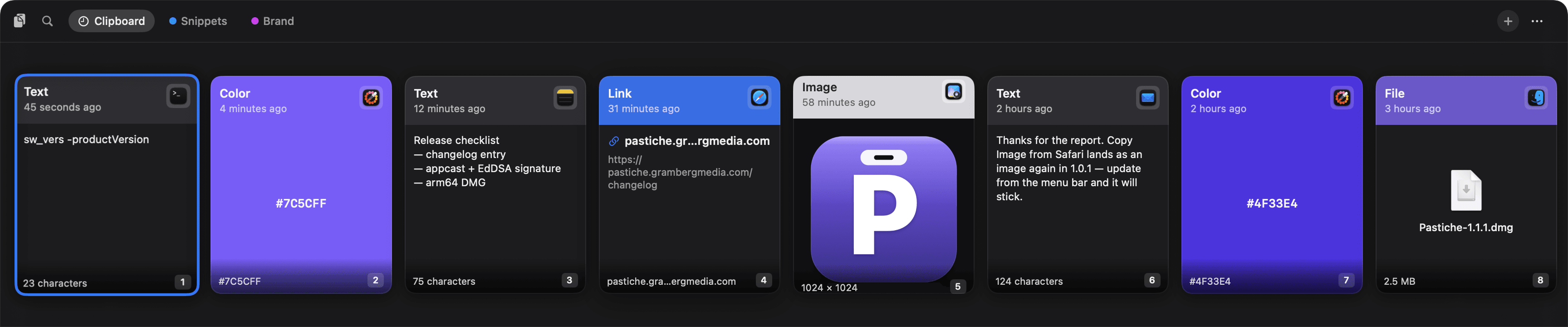
PLATE I — THE SHELF, CLIPBOARD TAB · SCREEN CAPTURE · PASTICHE 1.1.1
The real app, with staged clippings. The working replica is docked below.
- Start typing to search.type:image
- The newest copy is on the left.
- Pinboards: named boards in eight colors.
- Colors copied from a color picker land as swatches.
- The badge is the app it came from.
- The first nine paste by number.⌘1–⌘9
FIG. 01 — THE ONE-SLOT PROBLEM ·LIVE
One slot deep.
The system clipboard is a single slot: whatever you copy next overwrites whatever was there. Copy both scraps below — the register keeps only the last one, and the shelf at the bottom of this page keeps both.
— empty —
The register is empty.
Scraps — click to copyScraps — tap to copy
A — an address
B — a hex code
THE APP'S OWN ACCENT VIOLET · FILED HERE AS A COLOR, AS IF COPIED FROM A COLOR PICKER
FIG. 02 — EIGHT CLIPPINGS · PLATE II
Eight clippings, each drawn as itself.
Text, links, images, files and colors each get a card built for them. Scroll, and the plate moves under the reticle.
2.1 · Text · sw_vers
Text keeps its lines.
The card shows the first twelve lines; Space shows all of it.
2.2 · Color · #7C5CFF
A color lands as a swatch.
Colors copied from a color picker or design app arrive as color, header and all. This one is the app’s own violet.
2.3 · Text · checklist
History has no cap unless you choose one.
Keep everything, or trim to 100, 500, 1,000 or 5,000 items in Settings. Pinboards never count toward it.
2.4 · Link · changelog
A link shows where it goes.
The host and the full address. Pastiche never fetches the page.
2.5 · Image
Images keep their pixels.
The full image is stored as a PNG; the card shows a thumbnail capped at 600 px on its longest edge.
2.6 · Text · reply
Return puts it back where you were.
The shelf slides away, the app you came from comes back, and Pastiche presses ⌘V for you about a quarter-second later. ⇧Return pastes plain text.
2.7 · Color · #4F33E4
Every card knows where it came from.
The badge in the corner is the app that was frontmost when you copied.
app:searches by it.2.8 · File · Pastiche-1.1.1.dmg
Files drag out as files.
Images and files drag out as real files; text drags as plain text. The number in each corner: ⌘1 to ⌘9 paste the first nine without moving the selection.
FIG. 03 — IN THE HAND · PLATES III–IV
In the hand
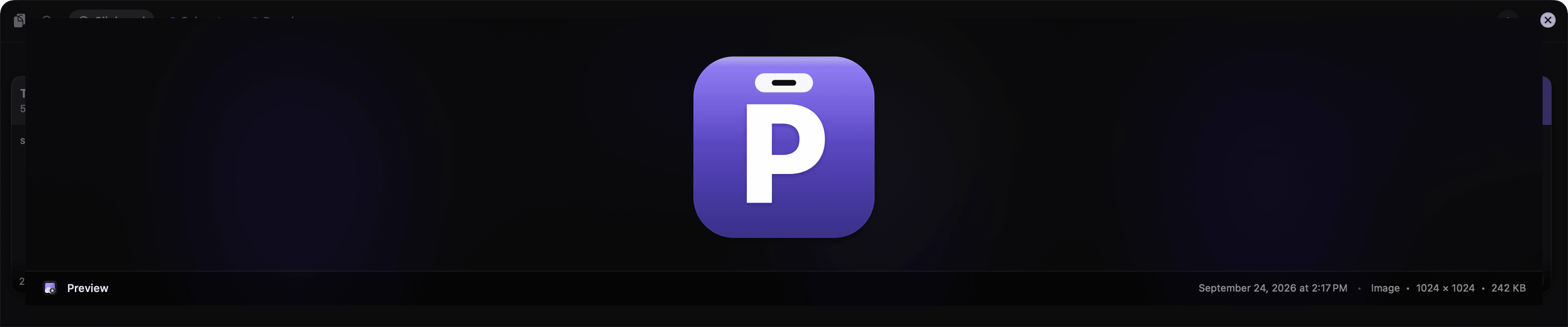
Space shows the whole thing.
Full text, fitted images, openable links, file lists and color swatches, with the source app, the time and the size along the bottom.
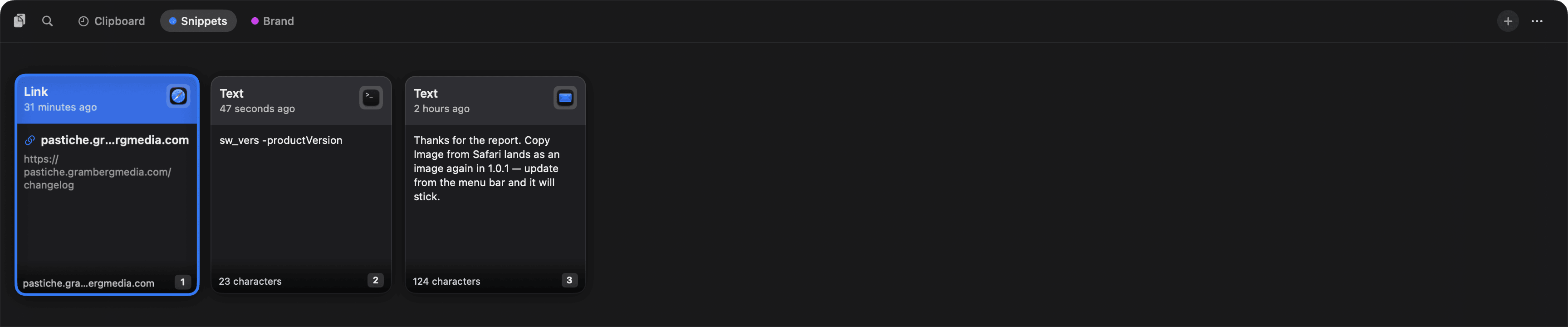
Pinboards keep what you reuse.
Named boards in eight colors. Adding a clipping copies it, so your history is untouched, and boards never count toward the history cap. Drag a card onto a tab to file it.
THE SHELF BELOW HAS A SNIPPETS BOARD TOO · ⇧⌘V
FIG. 04 — THE KEYBOARD ·LIVE
Five keys run the shelf.
Nine commands run the whole app. These five cover most of a day.
- Open or close the shelf, on whichever display the pointer is on.
- Move along the rail. ↑ ↓ work too, even while you type a search.
- Paste into the app you came from. ⇧ ↩ pastes plain text.
- Preview the selected clipping.
- Paste one of the first nine, without moving the selection.
Start typing to search.
- Every image, newest first.
- Links whose URL mentions “release”.
The full map — ⌘F, Delete, Esc and every search filter — is in the docs →
FIG. 05 — PRIVACY · PLATE V
What it keeps, and what it never records.
- Stored at
- pastiche.sqlite3 (plus its journal files) and an Images folder. Preferences sit in the app's standard preferences file.
- Network
- Only the update check, a 1 KB feed file. When there's an update, its release notes and the update itself come from the same feed. Nothing else.
- Clipboard
- Checked every 150 ms, by change count only.
- Never recorded
- Copies marked concealed, transient or auto-generated (the markers password managers use), plus 1Password's own marker. On by default.
- Ignored apps
- Anything copied while a listed app is frontmost is skipped.
- Clear History
- Overwrites the cleared text on disk (SQLite secure delete, then vacuum), not just unlinks it. Pinboards are left alone.
- Updates
- Every update archive is Ed25519-signed and verified before it installs.
- Accounts, sync, telemetry
- None.
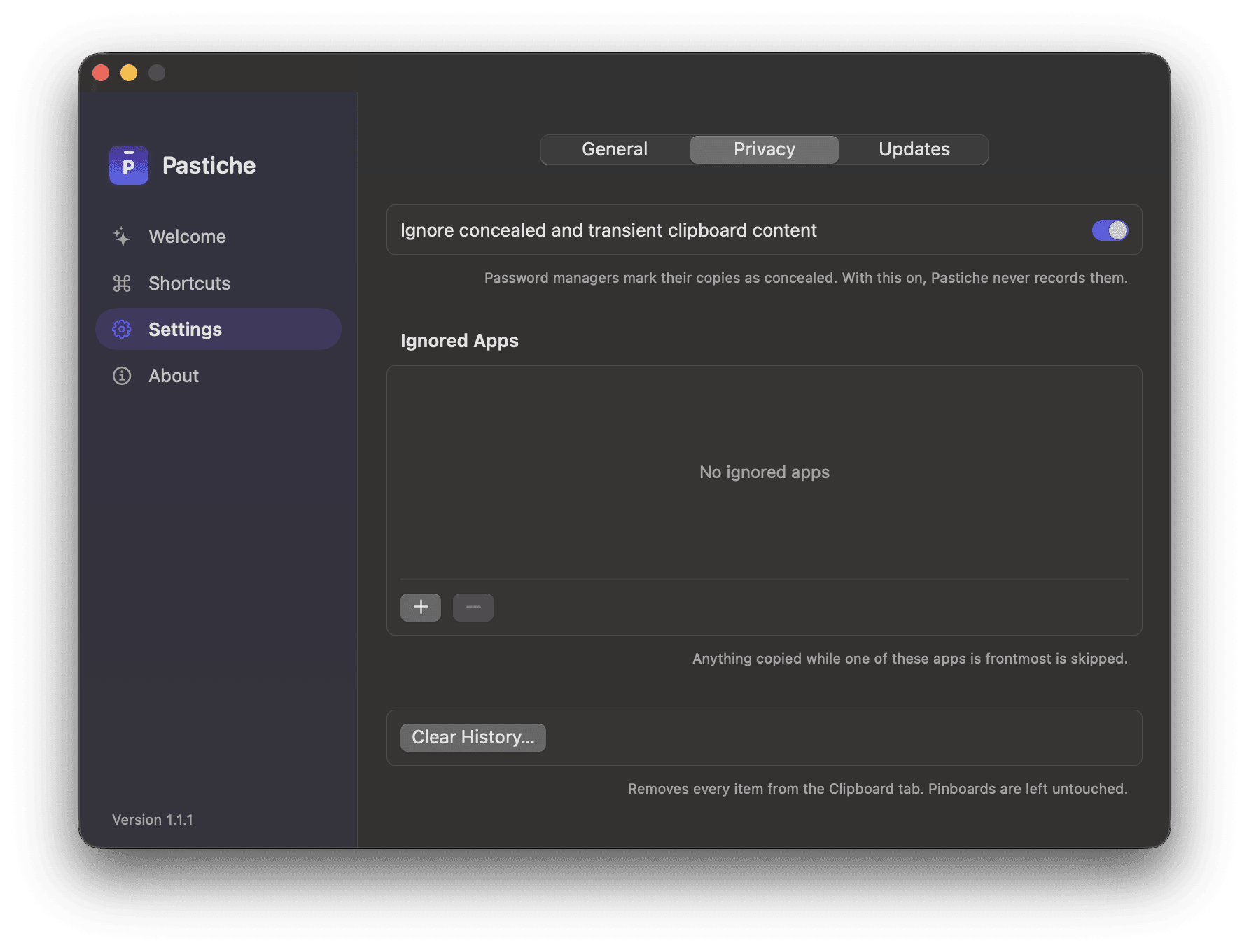
FIG. 06 — INSTALLING · PLATE VI
Four steps. One of them is macOS being careful.
Pastiche is ad-hoc signed, not notarized, so macOS stops the first launch. Here is exactly what to do.
Step I. Download.
One 2.5 MB disk image, served from this site. The button is at the end of this list.Step II. Drag it to Applications.
Open the disk image and drag Pastiche onto the Applications folder.Step III. Open it once, the long way.
The first time you open it, macOS blocks it because it isn't notarized. Open System Settings › Privacy & Security, scroll down to Security, and click Open Anyway next to the note about Pastiche, then confirm with your password or Touch ID. On macOS 13 and 14, Control-clicking the app and choosing Open also works. You do this once per installed version.
Step IV. Let it paste for you.
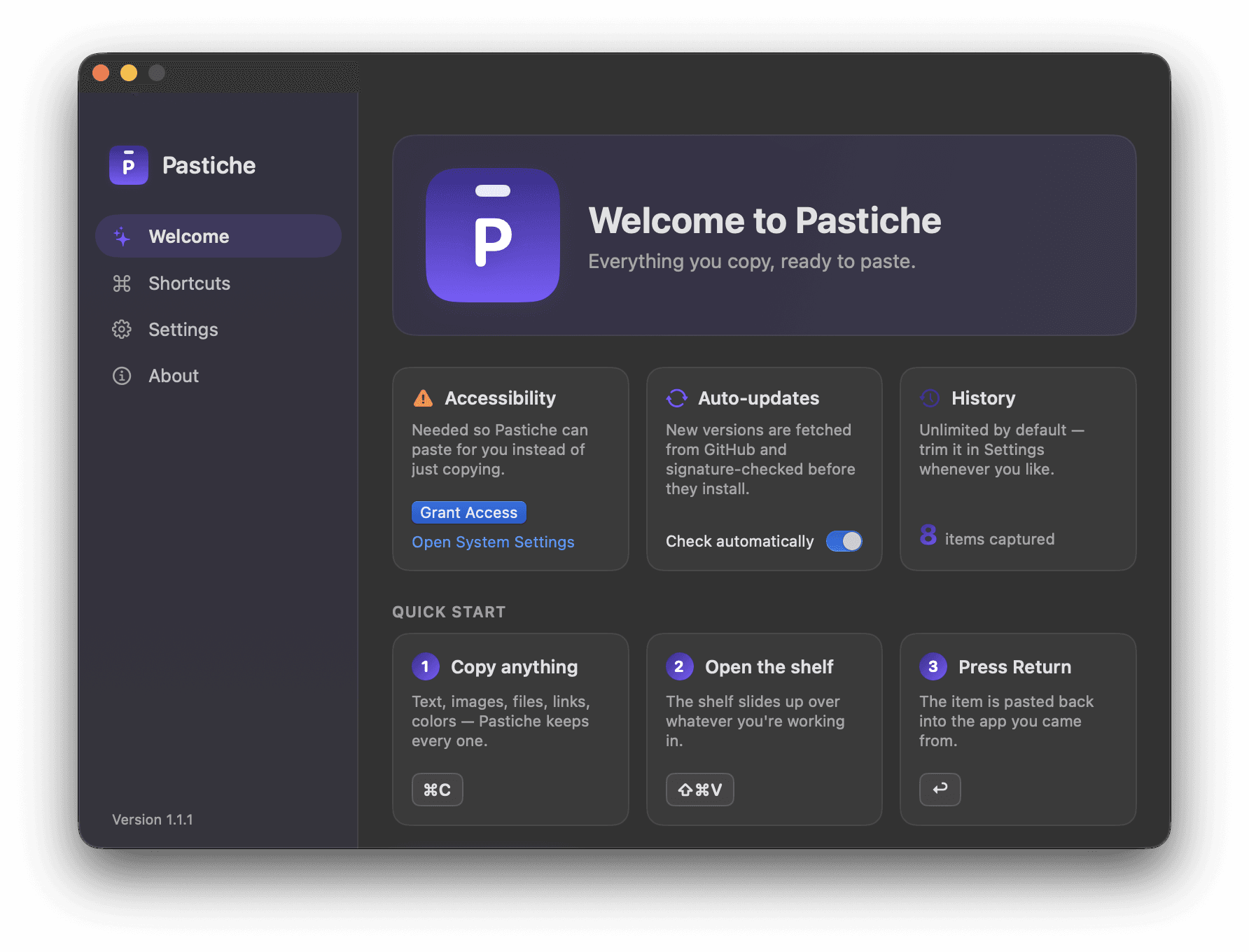
The Welcome window opens on first launch. Grant Access lets Pastiche press ⌘V in the app you came from; macOS only lets apps you trust send keystrokes. Skip it and everything still works: Return copies the card and you press ⌘V yourself. Because builds are ad-hoc signed, macOS can reset this after an update, and Pastiche asks again.
Then press ⇧⌘V.
REQUIRES MACOS 13 OR LATER · APPLE SILICON (M1 OR LATER)
Intel Mac? Today's download is Apple silicon only. A universal build is a release away, not a rewrite.
Changing your mind: quit Pastiche and drag it to the Trash. The docs list what else to remove →
FIG. 07 — PROVENANCE
The release record.
The disk image this page downloads, the releases behind it, and the feed this site publishes for the app's updater.
- VERSION
- v1.1.1
- RELEASED
- Aug 11, 2026
- DOWNLOAD POSTED AUG 14
- DISK IMAGE
- 2.5 MB
Four releases, Aug 9–11, 2026
- 1.1.1 · AUG 11 A Dock icon and a standard menu bar while the window is open.
- 1.1.0 · AUG 10 A main window: Welcome, Shortcuts, Settings and About.
- 1.0.1 · AUG 10 Fourteen fixes, including Clear History scrubbing the file on disk.
- 1.0.0 · AUG 9 First public release.
Free to download. No account.
NO LICENSE KEY. NO SIGN-IN. NOTHING TO CANCEL.
- UPDATE FEED
- appcast.xml ↗ (opens in a new tab)
- ARCHIVE
- Pastiche-1.1.1.zip · 2.1 MB
- SIGNED
- Ed25519, checked before it installs.